
 Install from Microsoft Edge
 Install from Firefox
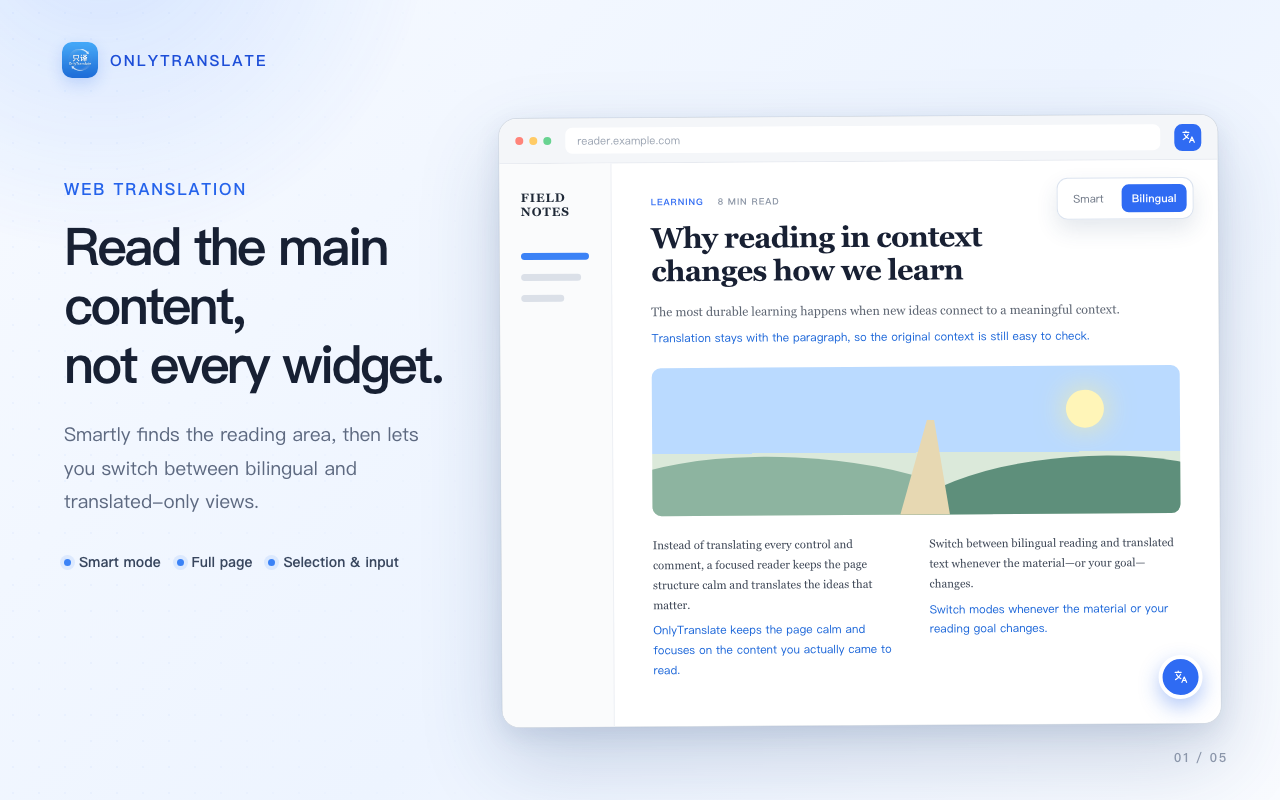
01 · SMART WEB
Stay on the original page and translate what you are reading
Recorded for the Chinese release: this demo shows English → Chinese. Other language pairs are supported.
 OnlyTranslateBilingual reading
Free and open source for Chrome, Edge, and Firefox
Built for people who read carefully in another language. OnlyTranslate places translations back into what you are reading while preserving the original structure and rhythm. No OnlyTranslate account or subscription required. EPUB and PDF reading remains in Beta.
01 · LIVE DEMOS
Three real workflows show bilingual reading on web pages, video subtitles, and local EPUB books. Read the EPUB and PDF (Beta) guide →
01 · SMART WEB
Recorded for the Chinese release: this demo shows English → Chinese. Other language pairs are supported.
02 · TRANSLATION SERVICES
No-setup services such as Microsoft Translator and Google Translate work right away. For AI translation, add your own API key. OpenAI Chat Completions-compatible endpoints are supported too.
OnlyTranslate itself is free. Third-party services may have their own accounts, quotas, pricing, and privacy policies.
03 · PRIVACY & OPEN SOURCE
Open source does not automatically mean data never leaves your device. OnlyTranslate clearly separates local storage from online translation.
There is no OnlyTranslate account or project subscription, and the project does not collect extension usage data.
Settings, cache, original EPUB/PDF files, library data, reading progress, bookmarks, and the optional PDF layout model stay in your current browser.
When you translate, relevant text is sent to the provider you selected and is governed by its privacy policy.
The project is open source under GPL v3, including its implementation, issue history, and releases.
04 · GET STARTED
Install it from the Chrome Web Store or Microsoft Edge Add-ons and pin it to your browser toolbar.
No-setup services work immediately; AI services require their corresponding API keys.
Choose Bilingual and Smart to translate a webpage, or open the subtitle, EPUB, and PDF features.
CURRENT LIMITS
05 · FAQ
Could not find an answer? Visit GitHub Issues and tell us which page or feature is affected.
OnlyTranslate itself is free and open source, with no project subscription. Some third-party translation providers may charge under their own terms.
No. Settings, cache, and ebook data are stored in your current browser profile.
When you use an online translation service, the text is sent to the provider you selected. Chrome built-in translation, when available, runs locally in the browser.
Browser-internal pages, extension stores, security-restricted pages, and some embedded content do not allow ordinary extensions to run. Complex dynamic pages may also require Full page mode.
Not currently. OnlyTranslate reads and translates subtitles supplied by the website; it does not include speech recognition or subtitle generation.
OnlyTranslate is not based on the idea that every existing product falls short. It preserves a more restrained option: no new account or subscription system, your choice of translation provider, and a focused reading experience for web pages, subtitles, EPUBs, and PDFs. The project continues development from the open-source extension FluentRead and is released under GPL v3.
OnlyTranslate